

Attach and detach
CallLibra.init() once at app startup, then Libra.attach() when the user opens the widget. The iframe is created on init() but the chat session does not start, and no network requests are made, until the first attach().
attach(elementOrId) accepts a DOM element or an element ID and can be called while the iframe is still loading. It never moves the iframe in the DOM; only its CSS position is updated, so the session and any in-progress streaming response are preserved. detach() hides the widget and keeps the iframe alive. Call attach() again to reposition it, even to a different container. destroy() removes everything; call init() again to recreate.
Header ownership
The SDK renders its Libra headbar only whenonClose is provided. The headbar includes the Libra wordmark and close button; clicking close calls onClose.
The host product owns close behaviour. In most integrations, onClose should hide the product-owned SDK wrapper, such as a side panel or modal, and call Libra.detach():
onClose and call Libra.detach() from your own close control.
Header ownership only controls this outer Libra wordmark/close headbar. The authenticated chat screen still renders the existing SDK chat controls.
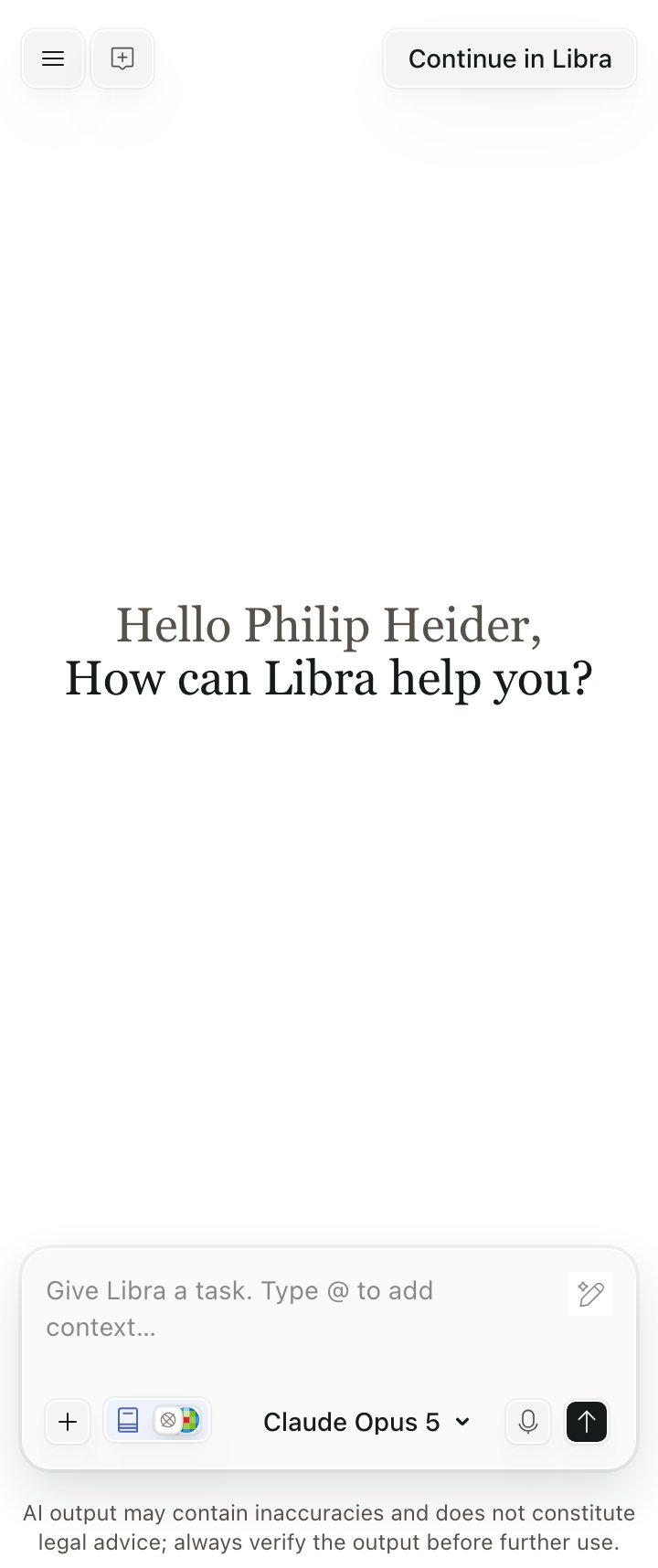
Initialised without onClose: no Libra headbar, so the host owns the frame and the close control
Stacking context
By default the SDK appends its wrapper todocument.body with z-index: 999999. Use mountTarget to mount the wrapper inside an element you control, then manage stacking via that element instead of fighting the global z-index.
z-index is trapped inside it:
#root can use any z-index (e.g. 12) and stack above the widget naturally.
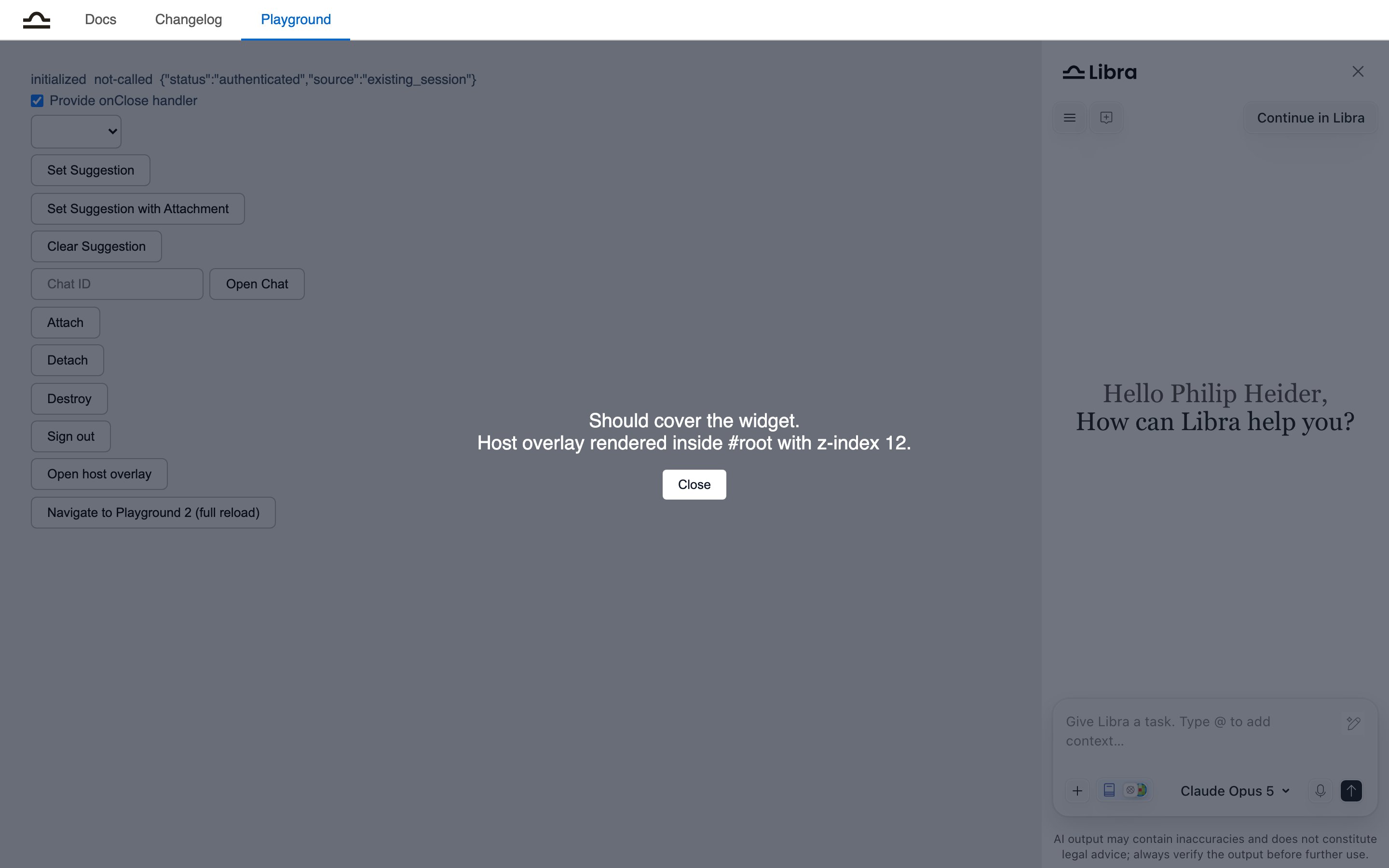
A host overlay at z-index 12 covering a widget mounted at zIndex 5 inside an isolated #root
Constraints
- Set
mountTargetonce at init. The iframe cannot be reparented later; moving an iframe in the DOM causes the browser to reload it, destroying the chat session. - The mount target must remain in the DOM for the SDK’s lifetime.
- If the configured target is missing at init time, the SDK falls back to
document.body. - The mount target and its ancestors must not establish a containing block for fixed positioning.
transform,perspective,filter,backdrop-filter,will-change: transform | perspective | filter, andcontain: paint | layout | content | stricton any ancestor will silently misplace the widget.isolation: isolateis safe: it creates a stacking context without creating a containing block. The SDK emits aconsole.warnwhen it detects a known offender on the mount target’s ancestor chain.
Single-page apps and route changes
Because the iframe lives ondocument.body (or your mount target) rather than inside the route’s DOM, a route change that unmounts your chat container does not destroy the session. The SDK detects a removed target, logs a warning, and detaches; call Libra.attach(newTarget) from the new route to re-show the same conversation.
In multi-page apps the last active chat is restored after a full reload, as long as the token in localStorage is still valid.
Sizing and the frame around the widget
Panel width, the entry point that opens the widget, and which header the user sees are host-side decisions with their own guide: Panel and placement.Reference integration
The playground is itself a host page usingmountTarget: 'root', zIndex: 5 and isolation: isolate, with a host overlay at z-index: 12 that covers the widget. Its source lives in the SDK package at packages/sdk/site/playground.ts.