

The composer
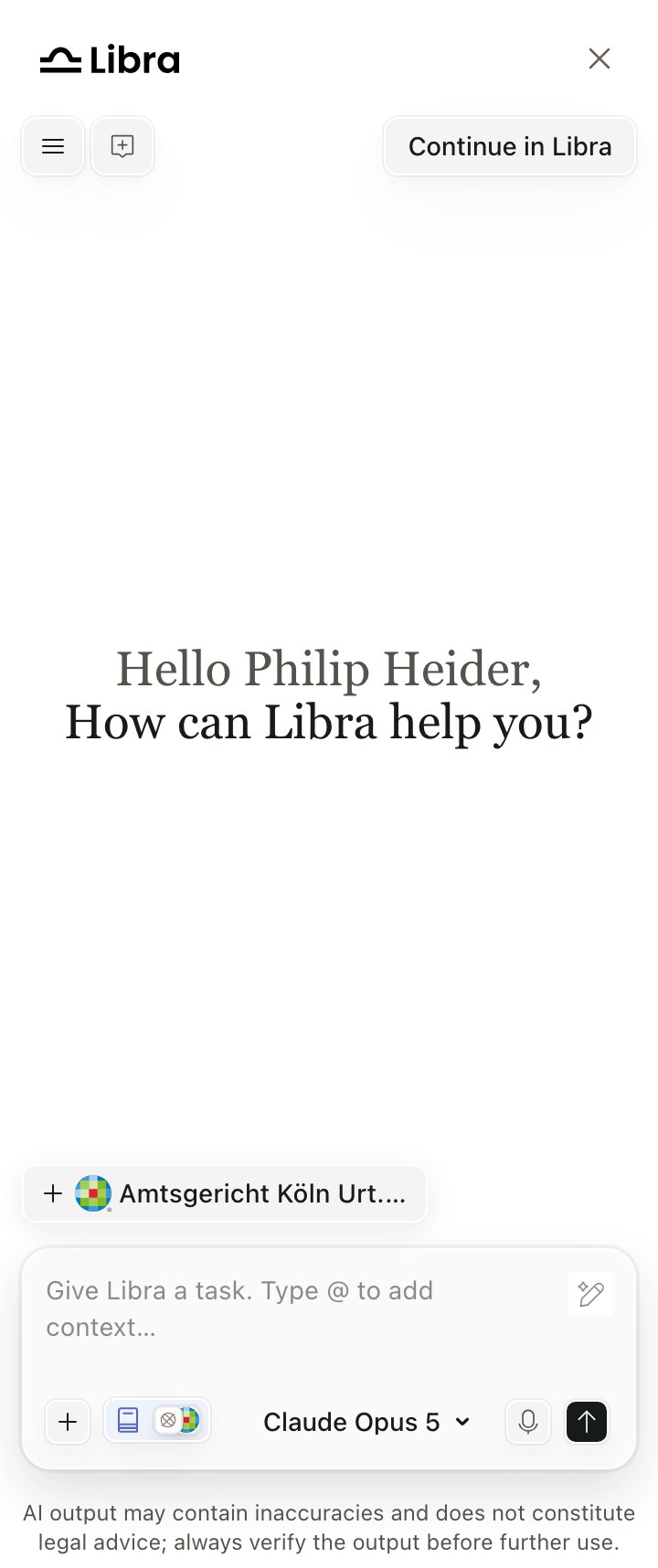
The composer: Tools, Research, the model-tier control, voice, and send
Inside the widget the composer is pinned to its compact layout, so Tools and Research are icon-only at every panel width. See Panel and placement.
Answer modes
One control in the composer selects how Libra answers. Its accessible name is Select model tier, and it always offers three Libra AI tiers:Standard
Best for most tasks. The default.
Deep Thinking
Complex reasoning and analysis.
Fast
Quick, everyday questions.
- The control’s visible label is not always a tier name. If the user has enabled Show Model Selector in their Libra settings (off by default), the same dropdown also lists individual models, and picking one makes the button read that model’s name — for example
Claude Opus 5. - The control is hidden while an assistant or a workflow is active, and on model-locked deployments.
Deep Thinking is not restricted by subscription tier. Older material describing it as a paid-tier feature is out of date — see Plans and limits.
While an answer is generating
The microphone and send buttons collapse into a single Stop button that ends the response where it is. Progress appears in a card above the answer. Collapsed and running, it reads Analyzing… then Composing answer…; when finished it reads Thought for <time>. Expanding it reveals the step list under the heading Actions, with steps named after what actually ran — Analyzed query, Searching Wolters Kluwer Online, Searched a database, Searching the web, Documents read.Answer actions
Under every finished answer:Citations
Citations render as inline chips — source name plus source logo — at the exact point in the text where the answer cites them, not gathered at the end of the paragraph. Numbered footnotes with a bibliography appear only when the answer is copied or exported. When two or more chips for the same source type sit next to each other, they collapse into one chip with a+N suffix, where N is how many additional citations are behind it.
1
Hover a chip — the citation card
Shows the source logo and name, the cited content’s title, optional metadata such as page or date, and an excerpt of the cited passage. A merged chip adds prev/next arrows and an N of M citations counter. The footer carries Citation list and To source.
2
Open the cited-sources row — the citation list
Every answer that used sources ends with an
N Cited Sources: row. In the widget this opens a modal titled Citation list (the Workspace shows it as a side-panel tab). One card per source, one expanded at a time, revealing the cited snippets plus View source and Find in chat.