> ## Documentation Index
> Fetch the complete documentation index at: https://sdk.libratech.ai/llms.txt
> Use this file to discover all available pages before exploring further.
# Authentication
> The built-in Auth0 popup flow, auth events, account gating, and sign-out
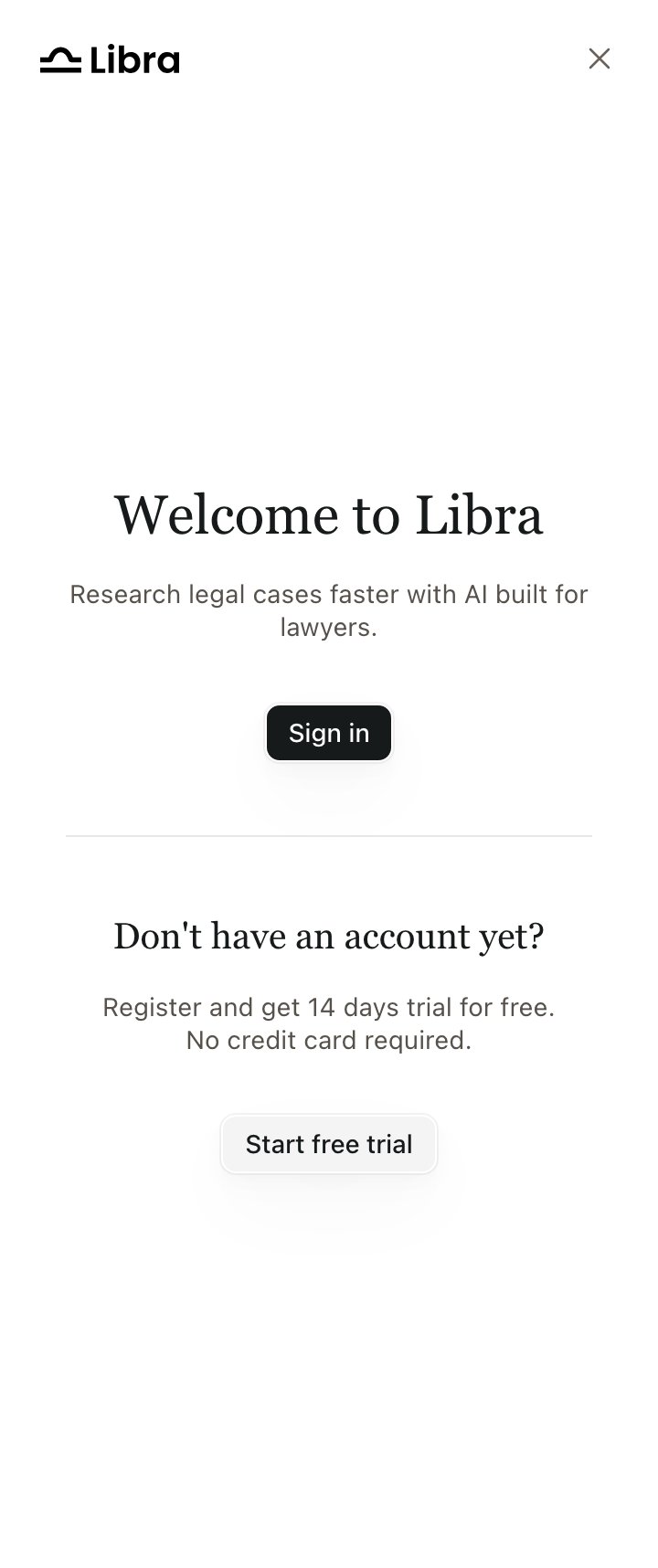
The SDK handles authentication automatically via an Auth0 popup. The auth screen offers both **Sign in** (existing users) and **Create account** (new users); new accounts are walked through onboarding inside the iframe before the chat mounts. Tokens are stored inside the iframe's `localStorage`, and subsequent loads skip the auth screen if a valid token exists. **No auth configuration is needed from the host application.**
 Products that must not let the browser hold a Libra token, or that want single sign-on from their own session, use [proxy mode](/guides/proxy-mode) instead. Everything on this page except the callbacks is then handled by your BFF.
## Listening to auth state
`onAuthStateChange` reports auth-status transitions:
* `authenticated / existing_session`: valid session restored at startup
* `authenticated / signin`: user just completed the sign-in popup
* `authenticated / signup`: user just completed the sign-up popup (the iframe then runs onboarding before mounting the chat)
* `unauthenticated / no_session`: no valid session at startup
* `unauthenticated / signout`: session was cleared (normal mode), or the identity link was removed (proxy mode)
`onAuthError` reports failed interactive sign-in or sign-up attempts. Failed attempts do not emit an auth-state event. There are **five** reasons, not the three the SDK README lists:
| `reason` | Meaning |
| ----------------------- | ------------------------------------------------------------------------------------------------------------------------------------------- |
| `popup_blocked` | The browser blocked the popup. Attach from a user gesture. |
| `popup_closed` | The user closed it — or it closed without delivering a session, which is also what an unregistered embedding origin looks like (see below). |
| `authentication_failed` | The login attempt itself failed. |
| `embedded_auth_failed` | Proxy-mode link/exchange failed, or the chat app failed to mount after a successful login. |
| `account_in_use` | The Wolters Kluwer account is already linked to another Libra user. |
```javascript theme={null}
Libra.init({
productId: 'wko_de',
onAuthStateChange: (state) => {
// { status: 'authenticated', source: 'existing_session' | 'signin' | 'signup' }
// { status: 'unauthenticated', source: 'no_session' | 'signout' }
analytics.track('libra_auth', state);
},
onAuthError: (error) => {
// { source: 'signin' | 'signup', reason: 'popup_blocked' | 'popup_closed' | 'authentication_failed' }
if (error.reason === 'popup_blocked') showPopupHelp();
}
});
```
`popup_blocked` is the error you will see most in the wild. Trigger `Libra.attach()` from a user gesture (a click), not from page load, so browsers allow the popup.
## Register your domain before you go live
Every domain the widget is embedded on must be **registered with Libra in advance**. This is not something you configure in `Libra.init()` — ask your Libra contact to add each origin (development, staging and production) before testing.
The failure mode is easy to misdiagnose, because nothing reports "unregistered origin":
Your `onAuthError` fires with `reason: 'popup_closed'`.
In the default (popup) mode, subsequent API calls are rejected and the widget never advances past sign-in.
If sign-in works locally but not on a new environment, check that the environment's origin was registered before looking anywhere else. In [proxy mode](/guides/proxy-mode) API traffic is exempt — it authenticates through your BFF — but the login and account-linking popup still needs the origin registered.
## Account-state gating
Even after a successful login, the SDK may render an in-iframe overlay if the user's account is in a restricted state (onboarding incomplete, expired trial, canceled subscription, pending team membership, inactive subscription). The chat UI is not mounted while a gate is active. Signing out from any gate emits `unauthenticated / signout`.
## Signing out
Call `Libra.signOut()` to programmatically sign the user out. It clears the session and shows the login screen. In proxy mode it removes the user's identity link on the backend (best-effort), so the next re-authentication requires re-linking.
## Locale of the login popup
The popup follows the widget's configured locale, so a user on `de-DE` sees a German sign-in screen. See [Locales](/guides/locales).
Products that must not let the browser hold a Libra token, or that want single sign-on from their own session, use [proxy mode](/guides/proxy-mode) instead. Everything on this page except the callbacks is then handled by your BFF.
## Listening to auth state
`onAuthStateChange` reports auth-status transitions:
* `authenticated / existing_session`: valid session restored at startup
* `authenticated / signin`: user just completed the sign-in popup
* `authenticated / signup`: user just completed the sign-up popup (the iframe then runs onboarding before mounting the chat)
* `unauthenticated / no_session`: no valid session at startup
* `unauthenticated / signout`: session was cleared (normal mode), or the identity link was removed (proxy mode)
`onAuthError` reports failed interactive sign-in or sign-up attempts. Failed attempts do not emit an auth-state event. There are **five** reasons, not the three the SDK README lists:
| `reason` | Meaning |
| ----------------------- | ------------------------------------------------------------------------------------------------------------------------------------------- |
| `popup_blocked` | The browser blocked the popup. Attach from a user gesture. |
| `popup_closed` | The user closed it — or it closed without delivering a session, which is also what an unregistered embedding origin looks like (see below). |
| `authentication_failed` | The login attempt itself failed. |
| `embedded_auth_failed` | Proxy-mode link/exchange failed, or the chat app failed to mount after a successful login. |
| `account_in_use` | The Wolters Kluwer account is already linked to another Libra user. |
```javascript theme={null}
Libra.init({
productId: 'wko_de',
onAuthStateChange: (state) => {
// { status: 'authenticated', source: 'existing_session' | 'signin' | 'signup' }
// { status: 'unauthenticated', source: 'no_session' | 'signout' }
analytics.track('libra_auth', state);
},
onAuthError: (error) => {
// { source: 'signin' | 'signup', reason: 'popup_blocked' | 'popup_closed' | 'authentication_failed' }
if (error.reason === 'popup_blocked') showPopupHelp();
}
});
```
`popup_blocked` is the error you will see most in the wild. Trigger `Libra.attach()` from a user gesture (a click), not from page load, so browsers allow the popup.
## Register your domain before you go live
Every domain the widget is embedded on must be **registered with Libra in advance**. This is not something you configure in `Libra.init()` — ask your Libra contact to add each origin (development, staging and production) before testing.
The failure mode is easy to misdiagnose, because nothing reports "unregistered origin":
Your `onAuthError` fires with `reason: 'popup_closed'`.
In the default (popup) mode, subsequent API calls are rejected and the widget never advances past sign-in.
If sign-in works locally but not on a new environment, check that the environment's origin was registered before looking anywhere else. In [proxy mode](/guides/proxy-mode) API traffic is exempt — it authenticates through your BFF — but the login and account-linking popup still needs the origin registered.
## Account-state gating
Even after a successful login, the SDK may render an in-iframe overlay if the user's account is in a restricted state (onboarding incomplete, expired trial, canceled subscription, pending team membership, inactive subscription). The chat UI is not mounted while a gate is active. Signing out from any gate emits `unauthenticated / signout`.
## Signing out
Call `Libra.signOut()` to programmatically sign the user out. It clears the session and shows the login screen. In proxy mode it removes the user's identity link on the backend (best-effort), so the next re-authentication requires re-linking.
## Locale of the login popup
The popup follows the widget's configured locale, so a user on `de-DE` sees a German sign-in screen. See [Locales](/guides/locales).